AI and creative jobs: what disappears, what changes, what resists

AI is not wiping out creative jobs; it is wiping out generic creative tasks. Everything interchangeable (a stock image, a format adaptation, a standard layout) is being automated. What relies on reality, the message and trust holds up, and even gains value. I started out as a photographer before becoming a presentation designer: this is not the first revolution I have lived through.

Before AI, there were stock image libraries

Today’s shock has a precedent. In the early 2000s, microstock libraries such as iStockphoto or Shutterstock brought the price of a stock photo down from several hundred euros to a few euros. Then, in the 2010s, free platforms such as Unsplash or Pexels made a large share of those images… free.

For many stock photographers, the business model collapsed. But the profession did not disappear: it moved towards what a stock library cannot offer, namely photographing your company, your teams, your event. Generative AI is replaying the same scenario today, faster and on a wider scale.

What is hit hardest

  • Generic photography and illustration: the “team around a table” or “handshake” image is now generated in seconds.
  • Simple retouching: cut-outs, clean-ups and background changes have become almost automatic.
  • Adaptations: resizing a visual into ten formats or five languages.
  • Standard layout: low-stakes documents and presentations that Copilot or Gamma produce on their own.

What is being transformed

  • Photography: reportage, events, portraits and high-end product photography keep their full value, because they show what is real. AI becomes a post-production tool.
  • Motion design and video: video generation opens new possibilities, but takes a trained eye to turn into something coherent.
  • Brand design: AI speeds up exploration; the designer keeps the decisions and the consistency.

What resists best

Jobs where value lies not in the image itself but in what it serves: art direction, advice, and presentation design for companies. A conference presentation, a pitch or a tender carries a message, a brand and often confidential stakes. It takes someone who understands the goal, makes choices, checks and stands by the result on the day.

A former photographer’s view

I lived through the shift from film to digital, then the arrival of stock libraries, then AI. Each time, the same lesson: what disappears is what was easy to reproduce. What remains is the eye, the craft and the relationship with the client. And the biggest lesson of all is never to rest on your laurels: question yourself, learn the new tools and keep your craft evolving. That is what took me from photography to presentation design, and then to AI. Today I use AI every day to produce faster and richer work, but I am always the one who decides what goes to the client.

Frequently asked questions

Which creative jobs are most threatened by AI?

Those producing generic, interchangeable content: generic stock photography and illustration, simple retouching, format adaptations, standard layout. These are the tasks generative AI automates most easily.

Will AI make photographers disappear?

No. Generic stock photography faces strong competition, but reportage, events, portraits and high-end product photography rely on reality, relationships and trust, which AI does not replace.

Which design jobs resist AI best?

Those where value lies in the message, advice and commitment to a result: art direction, brand identity, presentation and corporate material design, support on the day of an event.

See also: Will AI replace PowerPoint designers? and my PowerPoint designer services.

Copilot, Gamma, Beautiful.ai: AI presentation tools versus a designer

AI presentation tools are great for going fast, much less for going far. Copilot in PowerPoint, Gamma or Beautiful.ai generate a presentable deck in minutes. For an internal presentation, that is often enough. For a presentation that carries the company image, their limits show quickly. Here is a designer’s comparison.

Microsoft Copilot in PowerPoint

  • Strengths: built into Microsoft 365, it creates slides from a Word document or a prompt, summarises, reorganises, and can rely on the company template.
  • Limits: quality depends heavily on the starting template; without well-built masters, the result stays generic.
  • Best for: teams with a good corporate template who produce many internal decks.

Gamma

  • Strengths: very fast, modern look, designed for web presentations shared by link.
  • Limits: recognisable style, limited fine control over brand guidelines, PowerPoint export often needs rework.
  • Best for: a first draft, a presentation shared online, a small business without strict brand rules.

Beautiful.ai

  • Strengths: “smart” layouts that adjust automatically, guaranteed visual consistency.
  • Limits: reduced creative freedom; you stay within the templates provided.
  • Best for: recurring, clean sales decks with no need for original design.

What a designer adds

  • The message: structure, hierarchy, what to remove.
  • Brand guidelines followed to the pixel, and a visual identity that does not look like everyone else’s.
  • Native PowerPoint files and templates that AI and your teams can then use properly.
  • Confidentiality and human control over sensitive content.

The eye of a designer specialised in on-screen delivery

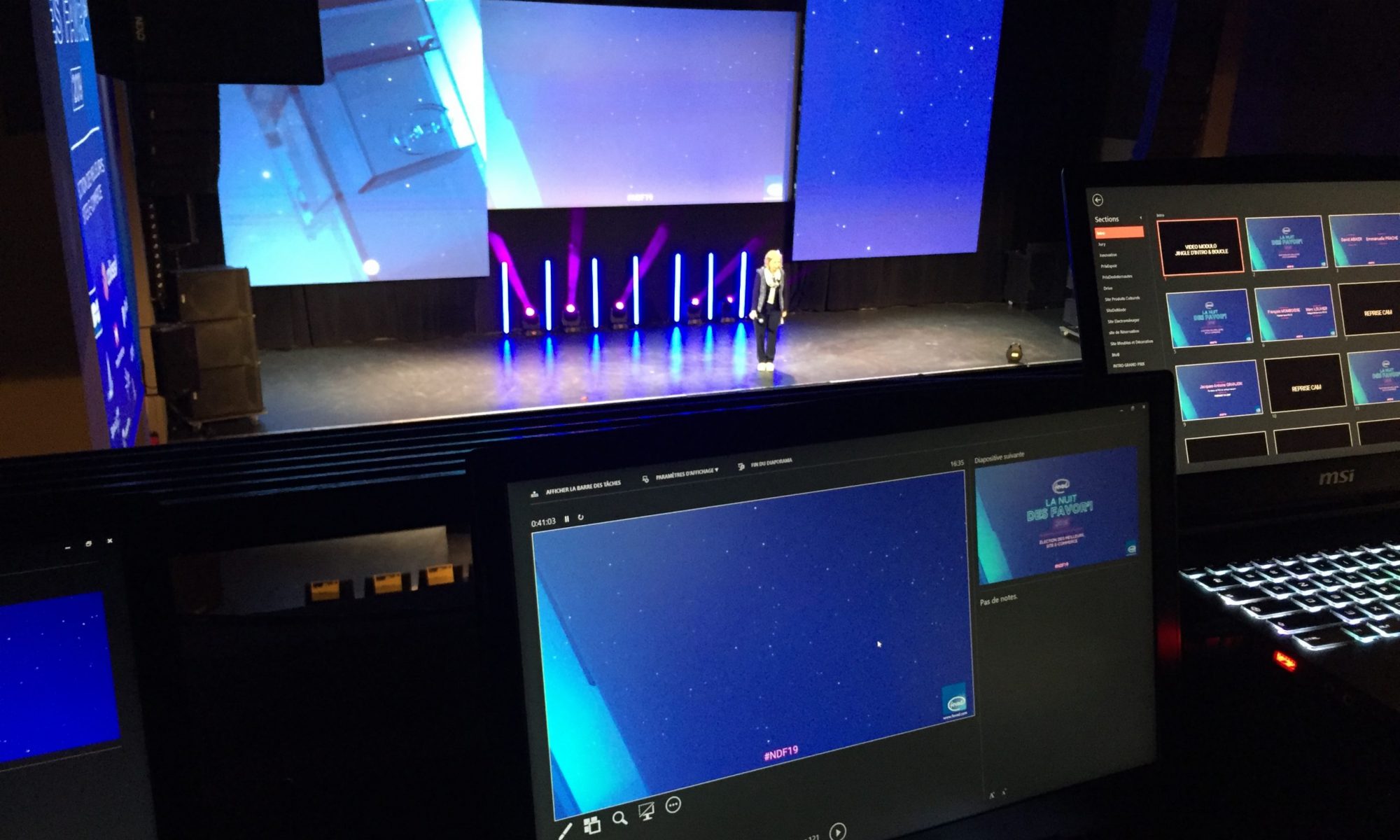
A slide is not a poster or a web page: it is made to be projected, seen from a distance, for a few seconds, while someone is speaking. A designer specialised in on-screen delivery masters a whole set of technical and structural parameters that neither AI nor an occasional user knows about:

  • Readability at a distance: minimum font size depending on room and screen size, stroke weight, line spacing.
  • Real contrast: a projector or LED wall does not render colours like a computer screen; contrasts that look perfect on screen can vanish in the room.
  • Slide structure: one idea per slide, clear hierarchy, a consistent grid and alignment, the amount of text an audience can read while listening.
  • Pace: slides per minute of speech, the order in which elements appear, animation that serves the message rather than decorates.
  • Delivery constraints: specific screen formats and resolutions, safe areas, video weight and format, embedded fonts, compatibility with the AV team’s machine.

It is this eye, built over hundreds of conferences, plenaries and launches, that makes the difference between a presentation that looks nice on screen and one that works in front of a room.

The best of both

The most effective combination today: a designer builds a solid PowerPoint template and the key slides, then your teams and Copilot produce everyday presentations on that basis. You gain speed without losing your identity.

Frequently asked questions

Why are AI-generated presentations sometimes unreadable in a conference room?

Because AI does not take projection conditions into account: room size, audience distance, colour rendering on a projector or LED wall, reading time while the speaker talks. These are exactly the parameters a designer specialised in on-screen delivery masters.

Can Copilot apply my brand guidelines?

Copilot can start from your company’s PowerPoint template if it is well built, which greatly improves the result. Without a clean template, it produces a generic layout.

Do Gamma or Beautiful.ai export to PowerPoint?

Yes, but the export is often less clean than in the tool itself: approximate layouts, elements that are hard to edit. Plan for rework if the file has to live in PowerPoint.

Which tool should I use for an important presentation?

For a first draft, any of them saves time. For a presentation that carries the company image, the ideal is a solid PowerPoint template, used by Copilot or your teams, and a designer’s finish.

I design PowerPoint templates and presentations built to be used with Copilot. See also: how to create a corporate PowerPoint template.

PowerPoint designers and AI: how the job is changing

With AI, a PowerPoint designer no longer works the way they did five years ago. Generative tools have transformed how images and videos are produced. Here is, concretely, how I use them every day for my clients, and what it changes for them.

1. Custom visuals instead of stock images

Rather than spending hours looking for a photo that “sort of” fits, I generate visuals that match the message and the brand world exactly: backdrops, textures, illustrations, slide backgrounds. Every image is then retouched and checked before it goes into the deck.

2. Animation and video without a shoot

Video generation tools make it possible to animate a visual, create an opening sequence or an animated background for a conference screen. What used to require a shoot or days of animation is now within reach of more modest presentations.

3. What remains deeply human

  • The message: understanding what is at stake and what the audience must remember.
  • Art direction: choosing, rejecting, harmonising. AI suggests, the designer decides.
  • Compliance: brand guidelines, fonts, accessibility, confidentiality.
  • Reliability: a file that works on the AV team’s machine, on the day.

What it changes for you

  • Shorter turnaround.
  • Richer presentations: unique visuals, animation, video.
  • Better use of your budget: less time on execution, more on the message.

Frequently asked questions

Which AI tools does a PowerPoint designer use?

Image and video generation tools, writing and translation assistants, and the AI features built into PowerPoint.

Can AI-generated visuals be used in a corporate presentation?

Yes, provided they are checked: brand consistency, no visible flaws, and compliance with the tool’s terms of use. I always retouch them before using them.

Is my data sent to AI tools?

Not without your consent. For confidential content, I work without online tools or only with non-sensitive elements, and I sign an NDA if needed.

See also: Will AI replace PowerPoint designers? and my PowerPoint designer services.

Will AI replace PowerPoint designers?

No, AI is not replacing PowerPoint designers, but it is replacing part of their work. Generative AI tools can now produce a decent presentation from a simple text in minutes. What they still cannot do on their own: build a message that convinces, follow brand guidelines to the pixel and deliver files entire teams can reuse. After 25 years in the job and several years of working AI into my own practice, here is my take.

What AI already does very well

  • A first draft in minutes: Copilot in PowerPoint, Gamma or Beautiful.ai turn a document or an outline into structured slides.
  • Custom images: no more hours in stock libraries; you generate exactly the visual you need.
  • Repetitive tasks: rewording, summarising, translating, creating variations of a slide.

What AI cannot do (yet)

  • Build the message: knowing what to say, in what order, and what to cut. The hardest and most important part.
  • Follow corporate brand guidelines: exact colours, fonts, logo rules, tone of voice. Generic tools produce a recognisable “AI look”.
  • Deliver clean files: masters, layouts, editable native charts. A generated deck is often hard to rework.
  • Guarantee confidentiality: financial results, defence projects, health data. Not all content can be sent to an online tool.
  • Be there on the day: testing on the AV team’s machine, fixing a slide five minutes before going on stage.

What really changes for the profession

PowerPoint designers spend less time executing and more time deciding. Raw formatting becomes almost instant; value shifts to art direction, clarity of the message, brand consistency and technical reliability of the files. A designer who masters AI delivers faster and richer work: custom-generated visuals, animation, embedded video, large volumes handled in record time.

My view as a designer

AI is the best tool I have seen arrive in 25 years, but it is a tool. It will not replace PowerPoint designers; it will replace PowerPoint designers who refuse to use it. For a presentation that matters, the right team is now a professional who drives the AI, checks it and signs off the result.

Frequently asked questions

Can AI create a PowerPoint presentation on its own?

Yes, tools such as Copilot in PowerPoint or Gamma generate a presentation from a text or document in minutes. The result is a good first draft, but rarely compliant with corporate brand guidelines or ready to be shown to a board or a room of 500 people.

Do you still need a PowerPoint designer?

For a quick internal deck, AI is often enough. For a presentation that carries the company image (conference, fundraising, tender, product launch), a designer brings message hierarchy, brand compliance, clean files and human control of the result.

Is a designer who uses AI cheaper?

Often, yes: AI cuts the time spent on repetitive tasks (formatting, image search, variations). The time saved goes into the message and the finish, or into shorter turnaround.

I’ve been a PowerPoint designer since 2001 and use generative AI every day, always under human control. Let’s talk about your presentation: please@nextslide.fr.

Convert PowerPoint to Keynote (and back) without losing quality

Keynote can open a PowerPoint file and vice versa, but the result is rarely perfect. Replaced fonts, lost animations, shifted objects and charts turned into images: as soon as a deck is a little polished, a clean rebuild is needed.

What goes wrong with automatic conversion

  • Fonts: if a font is not installed, it is replaced and the whole layout shifts.
  • Masters: layouts are imported but often poorly recognised, which makes later edits harder.
  • Animation: Morph (PowerPoint) and Magic Move (Keynote) do not match exactly; many effects are simplified or dropped.
  • Charts: Excel-linked or custom charts sometimes become non-editable images.
  • Video: some formats are not supported by the other application.

How to get a clean conversion

  1. Install the deck’s fonts on your computer before opening the file.
  2. Recreate the theme (colours, fonts, layouts) in the target application.
  3. Move the content slide by slide into the right layouts.
  4. Rebuild animations with native tools: Magic Move in Keynote, Morph in PowerPoint.
  5. Rebuild charts with the native chart tool so they stay editable.
  6. Test on the final presentation machine.

When should you call a designer?

For a few simple slides, automatic conversion is fine. For a conference deck, a pitch or a corporate template, a rebuild by a designer fluent in both applications avoids nasty surprises on the day.

Frequently asked questions

Is automatic PowerPoint to Keynote conversion reliable?

For a simple deck, yes. As soon as there are specific fonts, animation, charts or complex masters, a manual rebuild gives a much better result.

Are animations preserved?

Only partly. Morph and Magic Move do not map perfectly, and complex animations often need to be rebuilt.

Do charts stay editable?

Simple charts do, but Excel-linked data and custom charts are often turned into images and must be rebuilt to stay editable.

I convert and rebuild presentations between PowerPoint and Keynote while keeping their layout: see Keynote designer and PowerPoint designer.

How to create a corporate PowerPoint template people actually use

A good corporate PowerPoint template is a file anyone can use without breaking the brand guidelines. It relies on a theme (colours and fonts), a slide master and a set of ready-to-use layouts. Here is the method I use for large companies.

1. Start from real use cases, not just the brand book

Before designing, list the presentations teams actually produce: board meetings, sales decks, results, training. Each use case reveals layout needs: lots of text, lots of figures, lots of images.

2. Define the theme

  • Theme colours: brand colours placed in the right slots (text, background, accents) so charts and SmartArt pick them up automatically.
  • Theme fonts: one heading font and one body font available on every computer, or a compatible fallback.

3. Build the slide master and layouts

  • Use real placeholders (title, text, picture, chart) rather than free text boxes.
  • Include the key layouts: cover, section divider, title and text, two columns, full-bleed image, charts, key figures, quote, closing slide.
  • Put the logo, page numbers and legal notice in the master so they are never moved by mistake.
  • Name each layout clearly (“02 – Title + text”) so users find their way.

4. Add an asset library

Icons, pictograms, maps, standard diagrams and examples of good slides save a huge amount of time and prevent off-brand creations.

5. Test with real users

Ask two or three colleagues to rebuild an existing deck with the new template. Their difficulties show what to simplify before roll-out.

6. Roll out and maintain

Save the file as .potx, distribute it through Microsoft 365 shared templates, and appoint someone in charge of updates.

Frequently asked questions

What is the difference between a theme, a slide master and a PowerPoint template?

The theme holds colours, fonts and effects; the slide master defines the structure of the slides; the template (.potx) is the file that brings it all together and serves as the starting point.

How many layouts should a template include?

Between 10 and 25 is enough in most cases: cover, section divider, title and text, two columns, image, charts, key figures, quote, closing slide.

How do I roll out a template to the whole company?

Through the shared templates folder in Microsoft 365 or the organisation asset library, so everyone always starts from the latest version.

I design custom PowerPoint templates for companies and agencies, and have done since 2001. Let’s talk about your project: please@nextslide.fr.

PowerPoint or Keynote for a conference: which should you choose?

For a conference, PowerPoint is the safest choice and Keynote the most spectacular. PowerPoint works with almost every AV setup and computer; Keynote offers smoother animation but only runs on Mac. The right choice depends on the AV team, the speakers and how the deck will live after the event.

PowerPoint strengths

  • Compatibility: the standard in companies and for most event AV teams.
  • Collaboration: co-editing in Microsoft 365, comments, version history.
  • Corporate templates: masters and layouts shared by every team.
  • Morph transition: smooth animation, close to Keynote when well built.

Keynote strengths

  • Rendering: typography, anti-aliasing and animation often finer by default.
  • Magic Move and builds: very fluid sequences, ideal for a product launch.
  • Stability on Mac: video-heavy files stay smooth on a presentation Mac.

Watch out for

  • Keynote requires a Mac: check the AV team has one, or bring your own.
  • Fonts: whatever the software, fonts must be installed on the playback machine or embedded.
  • Video: use compatible formats (MP4 H.264) and test on the final machine.
  • 16:9 or custom screens: ask for the exact resolution, especially for panoramic LED walls.

A designer’s advice

The safest approach is often to design in the software the AV team knows best, then deliver a backup: PDF, video of animated sequences, or a version in the other software. I regularly deliver the same deck in both PowerPoint and Keynote when speakers work on different machines.

Frequently asked questions

Keynote or PowerPoint: which looks better?

Keynote offers smoother animation and finer typography out of the box, but a PowerPoint deck built by a designer can be just as elegant.

Can a Keynote file be played on a PC?

No, Keynote only runs on Mac, iPad and iPhone. For a PC, export to PowerPoint, PDF or video.

Which format should I give the event AV team?

Always ask the AV team which format they expect. Many accept both, but PowerPoint remains the most widespread standard.

Need an expert eye for your event? See PowerPoint designer and Keynote designer.

How much does a PowerPoint designer cost?

The price of a PowerPoint designer mainly depends on three things: the number of slides, their complexity and the deadline. Simple formatting does not cost the same as a full corporate template or a conference deck with infographics and animation. Here is how to find your way.

What drives the price

  • Type of job: formatting an existing deck, designing a custom presentation, creating a template (masters, layouts, libraries) or event support.
  • Number of slides and the share of complex ones: diagrams, infographics, data charts, maps.
  • Animation: Morph transitions, logo animations, embedded video.
  • Deadline: rush work (nights, weekends, 24-hour delivery) takes more resources and costs more.
  • Quality of the input: final text and clear brand guidelines greatly reduce back-and-forth.

Typical budgets

Most freelance PowerPoint designers charge by the day or a fixed price. In France, the average day rate on freelance platforms is generally between €400 and €600 excluding VAT, with senior corporate specialists above that. As a rough guide:

  • Formatting an existing deck: a few hours to one or two days depending on volume.
  • Custom presentation: usually one to several days.
  • Corporate PowerPoint template: often two to five days, depending on the number of layouts and assets.
  • Conference or plenary support: depends on volume, possibly with an on-site day.

Be wary of very low per-slide prices: they rarely mean clean files built on slide masters that your teams can reuse.

How to get an accurate quote

  1. Send the existing file or content, even rough.
  2. Attach your brand guidelines (logo, colours, fonts).
  3. Give the deadline and how the deck will be used (projection, print, email).
  4. Say who will edit the file afterwards: it changes how it should be built.

Frequently asked questions

What is the day rate of a freelance PowerPoint designer?

It varies by country and experience. In France, the average day rate of a presentation designer on freelance platforms is generally between €400 and €600 excluding VAT; senior specialists and rush jobs cost more, and rates in the UK or US are often higher.

Fixed price or day rate?

A fixed price suits well-defined projects (a template, a deck of N slides). A day rate suits evolving assignments or on-site support during an event.

How can I reduce the cost of a presentation?

Provide final content, clear brand guidelines and a reasonable deadline. Text revisions and rush jobs are what push the bill up most.

Have a project? I’ve been a freelance PowerPoint designer since 2001 and I reply to every request the same day with a precise quote: please@nextslide.fr.